Affinity, Canva’s free design app for Mac and Windows, is now on iPad. It’s one app for vector design, photo editing, page layout and sketching, built for touch and Apple Pencil, the company announced, and it opens Photoshop, Illustrator and InDesign files with their layers kept.
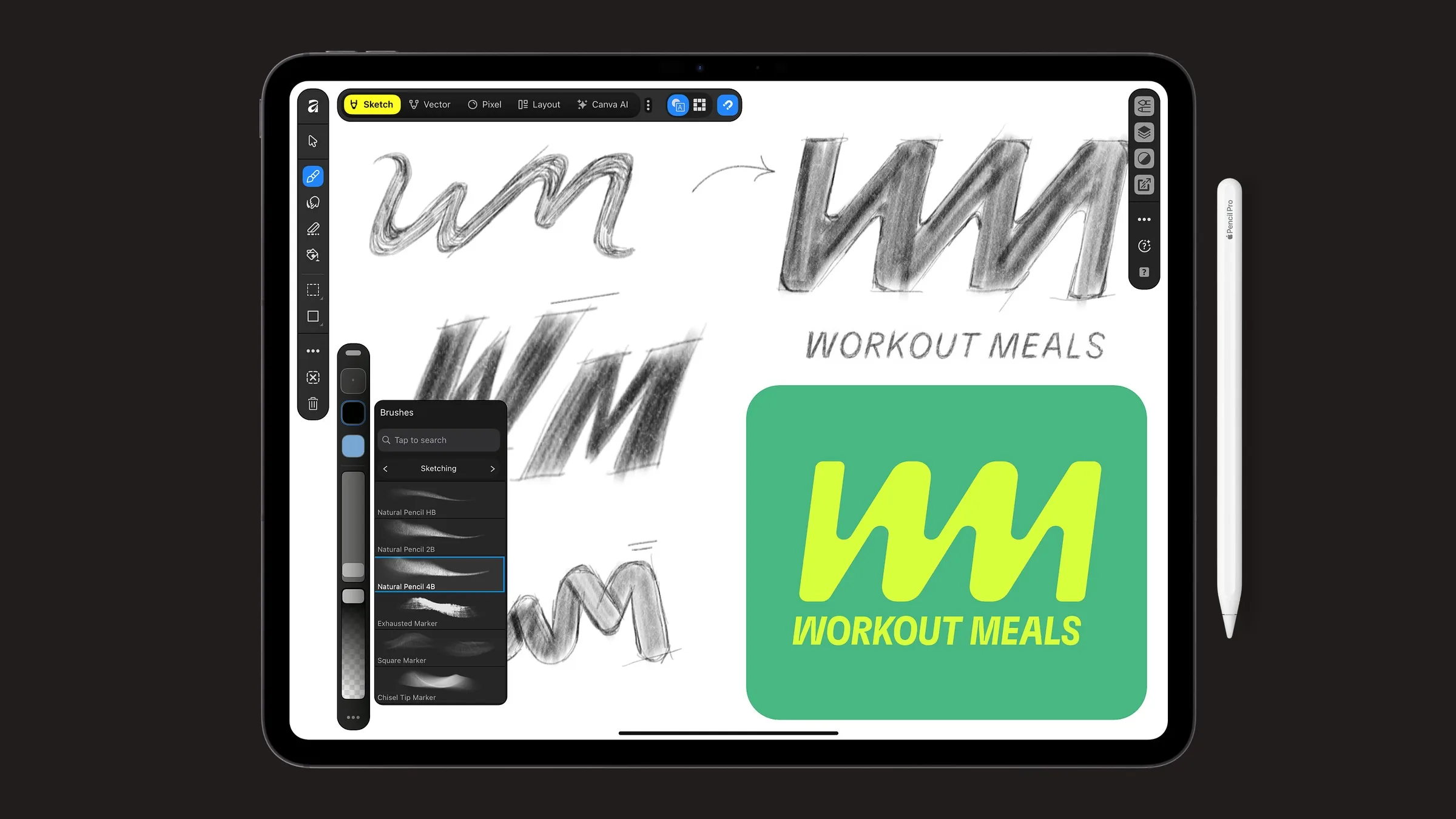
Everything sits in one .af file that also opens in Affinity on desktop. You switch between the Sketch, Vector, Pixel and Layout studios in the same document, instead of jumping between apps or heading back to a computer to finish.
The iPad app adds a new Sketch Studio, with more than 350 brushes that respond to Apple Pencil pressure, tilt and barrel roll. Tilt the Pencil to shade a line or roll it to change the stroke, then switch to Vector Studio and build real curves and nodes over the sketch, in the same file.
Photoshop smart objects and advanced filters may flatten on import, Affinity’s page for the app says, and so may Illustrator’s appearance stacks, masks and advanced effects. InDesign’s GREP styles, anchored objects and tables may need fixing by hand. Some desktop features aren’t on iPad at launch either, including the Books, Batch, Data Merge, Quick Adjustments, Info and Scope panels, macro recording and Astrophotography Studio.
In a reply to a post on X, Affinity says a Linux version is also in active development at the moment – though it has no release date yet.
Affinity for iPad is free for individuals with a Canva account and needs iPadOS 18 or later; its supported list goes back to the 7th-generation iPad. Canva AI Studio’s grain removal, blur fixes and background cutouts need a Canva premium plan to work, however: Canva Pro is Php 300 (about $5) a month or Php 2,500 (about $39) a year in the Philippine App Store.
Owners of Affinity’s older V1 and V2 iPad apps can keep using them, but their files don’t move over on their own: export them from the old app, then open them in the new one. Read the source link below for more.